
2,625 words, 14 minutes read time.
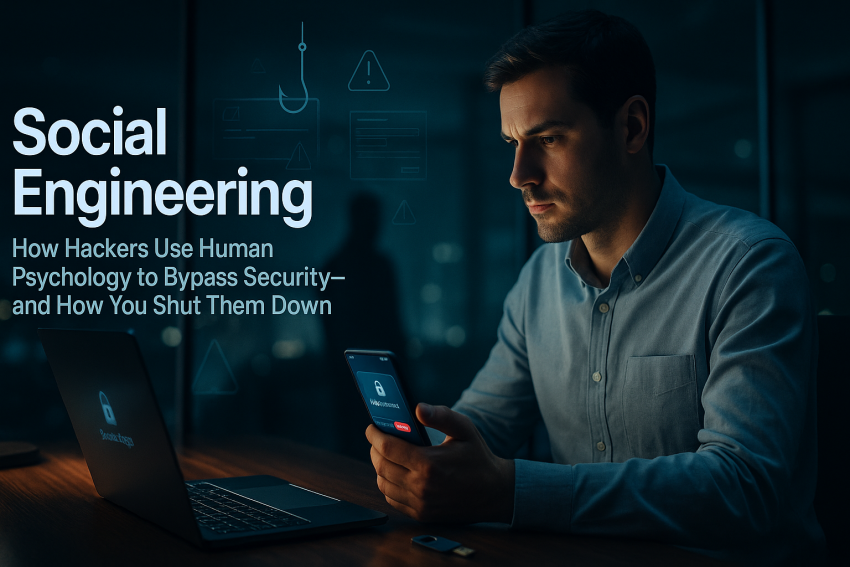
If you’ve ever felt that split‑second rush to click “approve” or “open,” you’ve met the real MVP of cyberattacks: psychology. Social engineering isn’t a fancy exploit; it’s a hustle aimed straight at your instincts—authority, urgency, fear, ego. Think of it like a con artist in a well‑tailored suit asking for your keys while holding your coffee. The tech is secondary. The target is you.
This guide is built for men who like to solve problems, prefer clarity over fluff, and want practical cybersecurity that actually fits real life. We’ll unpack the playbook attackers use, then hand you the tools to shut it down—at home, at work, and on the go. No drama, no nonsense, and yes, a few shop‑floor metaphors to keep it grounded.
Executive Summary
Most breaches don’t start with malware or zero‑days; they start with a message that feels just urgent enough to bypass your BS meter. Attackers lean on human psychology—authority, urgency, scarcity, and fear—to push you into clicks, approvals, and wire transfers you’d never do with a clear head. The fix isn’t complicated: slow the moment down, verify out‑of‑band, and use phishing‑resistant MFA wherever you can.
If you build a baseline—unique passwords or passkeys, security keys for critical accounts, credit freezes, and clean device hygiene—you make yourself a terrible target. Layer in no‑exceptions verification at work, dual approval for payments, and domain protections like DMARC, and you choke off the biggest money makers: phishing and Business Email Compromise. Slip‑ups happen. What saves you is speed: contain, rotate, revoke, report, recover. That’s how you turn a bad click into a boring Tuesday.
1) What Social Engineering Is (and Why It Works)
Social engineering is manipulation with a security budget. Instead of breaking the lock, an attacker convinces you to unlock the door. It bypasses tech controls by targeting the one system that’s never fully patched: the human brain. It works because we’re wired to help, to respond to authority, and to move fast under pressure. Add modern tools—spoofed domains, leaked data, AI‑written messages—and a good pretext can land like a message from your boss, your bank, or your favorite app.
You’ve seen the patterns. A “CEO” asks for an urgent wire and says he’s boarding a flight. A “help desk” requests your MFA code because “your account is at risk.” A “vendor” wants updated banking details and even attaches last month’s invoice. None of that requires shellcode. It requires a believable story and your momentary trust.
2) The Psychology: Triggers Attackers Pull
Authority is the classic move. Slap on a title—IT, Legal, Bank Security—and many people default to compliance. If a message leans on status, slow down and verify from a known channel. Urgency and scarcity are the nitro boosters. “Your account will be closed in 10 minutes” is engineered to bypass your thinking brain. When someone else sets the clock, you set the pause.
Reciprocity and commitment are the slow burns. After a little help or a small “yes,” you’re nudged into the bigger ask. Social proof and liking make it familiar: “We met at the conference—great talk about Kubernetes,” complete with a real‑looking signature. Curiosity, ego, fear, and greed round it out. “Security alert,” “exclusive invite,” “confidential salary file,” “airdrop claim”—if it spikes emotion, treat it like a siren and not a green light. Break the spell by asking yourself one question: what would this look like if it were a scam? That mental pivot buys you the clarity you need.
3) Popular Plays in the Wild
Phishing is the workhorse: emails that look legit but route you to credential harvesters or malware. Spearphishing adds personalization from open‑source clues—your job, your boss, your tech stack—to nail the tone. Smishing and vishing move it to SMS and phone, where caller ID spoofing and urgency do the heavy lifting. The defense is consistent: don’t click, don’t rush, and navigate directly to the site or app yourself.
MFA fatigue and consent phishing are the new belt‑and‑suspenders bypasses. Attackers spam push prompts until you approve one out of frustration or present an OAuth “Sign in with Microsoft/Google” box that grants ongoing access without your password. Use number‑matching and security keys to kill push spam, and regularly review and revoke OAuth app consents you don’t recognize.
Help‑desk impersonation and pretexting are back in style because they work. A caller with enough leaked details can sound like you, reset your MFA, and stroll in. Strong verification scripts—photo match in HR, a code word, a manager call‑back, and a real ticket—shut this down. BEC, or Business Email Compromise, is where the money is. Attackers hijack a thread, register look‑alike domains, and steer invoices toward new bank accounts. The cure is dull but effective: dual approval and call‑backs to known numbers before any payment change.
Physical tricks still land. Tailgating into offices, leaving “driver firmware” USBs in the parking lot, or offering “free support” in exchange for a code. Disable autorun, scan removable media, and make “no code sharing” a reflex. And then there are deepfakes—AI‑generated voices and videos that can mimic an executive. Never approve access or payments on voice alone. Use code words or a known secondary channel to verify.
4) Where You’re Likely to Get Hit
In your personal life, it’s often finance and identity: fake bank alerts, crypto wallet “security notices,” delivery scams, marketplace deposits, trading scheme DMs, dating app “verification” links, and tax season schemes. The hooks are urgency and fear of loss. Your best answer is calm verification, direct navigation, and a healthy suspicion of anything that wants credentials or codes.
At work, attackers follow the money and the keys. Finance teams get invoice swaps and urgent wire requests. IT and help desk get impersonation attempts and password resets. Executives and admins face high‑touch spearphishing and voice clones. Contractors and vendors become gateways into your environment. If your role holds money or elevated access, assume you’ll be tested and build your routine around verification.
5) Your Personal Security Baseline
Start with identity. Use a password manager and give every account a unique, long password or, better, a passkey when available. Prioritize phishing‑resistant MFA for email, cloud platforms, banks, crypto, and your password manager—hardware security keys based on FIDO2/WebAuthn are the gold standard. If SMS is your only option, keep it as a backup and lock down your mobile account with a port‑out PIN.
Treat your phone number like sensitive data. Avoid posting it publicly, and don’t reuse it as a universal recovery method. For email and browsing, enable spam and phishing filters and consider a reputable content blocker. Hovering isn’t enough anymore; when something feels off, go to the site directly rather than riding the link in a message. Keep devices updated automatically, separate admin from daily accounts, and back up your data using a 3‑2‑1 approach with at least one offline copy. Test restores—the backup isn’t real until you’ve done a full recovery.
Tighten your social media footprint. Reduce public visibility of employer details, travel plans, and contact information that feed pretexts. If you share technical content, scrub internal URLs or screenshots. On the financial side, freeze your credit with all major bureaus and enable alerts on bank and card accounts. If you hold crypto, use a hardware wallet and read transaction prompts carefully—signing blind is like torqueing a bolt with your eyes closed and hoping the threads survive.
6) Team/Work Playbook (for Managers, Founders, Admins)
Start with strong authentication. Mandate phishing‑resistant MFA for privileged users and finance first, then push it to everyone. Use SSO, least privilege, and role‑based access with time‑bound elevation for sensitive tasks. Regularly review stale sessions and third‑party OAuth app grants—long‑lived access tokens and over‑permissioned apps are the quiet doors attackers love.
Harden your email and domains. Configure SPF, DKIM, and DMARC with a reject policy once you’re confident in alignment, and monitor for look‑alike domains that target your brand. Add external sender banners and block auto‑forwarding to outside domains. A simple rule that alerts on new inbox rules or external forwarding catches a surprising amount of BEC activity before the money moves.
Elevate your help‑desk standards. Build a verification script and enforce it without exceptions: verify against HR photos, use a unique code word established during onboarding, require a manager call‑back to a known number for resets, and log a ticket—no Slack DMs, no shortcuts. Record calls where lawful, spot‑check them, and coach for tone and consistency. In finance, enforce dual control for wires and ACH changes and require call‑backs to independently verified numbers before changing banking details. Introduce a cooling‑off window for large transfers. This is boring on purpose; boring prevents fraud.
Invest in detection and response. Deploy EDR to endpoints, centralize logs, and alert on telltale identity signals like impossible travel, mass MFA denials, mailbox rule creation, and new OAuth consents. Run regular micro‑trainings tied to current threats and normalize fast reporting—reward the “I clicked and reported in two minutes” moment. Tabletop your incident response runbooks for phishing, account takeover, and BEC so the first time you see it isn’t game day.
7) Verify Before You Trust: How to Say “No” Nicely
Make “call me back on the number on file” your default move. If someone claims to be IT, Legal, a vendor, or your bank, be friendly and firm: “Happy to help—per policy I’ll call you back at the official number.” When money or access is on the line, use code words that only your team knows and never approve based on voice alone. Avoid reading one‑time codes to anyone, including “support.” If a link comes by email or text, ignore it and go directly to the site or app yourself. It’s not rude; it’s routine. Think of it like checking torque specs before you crank on a bolt—you’re not doubting the wrench, you’re respecting the build.
8) If You Clicked: Immediate Action Plan
First, don’t panic. Disconnect from Wi‑Fi to stop any active session and grab screenshots of the message and site for context. From a clean device, change the password to the affected account and any other account that reused it, then enable or reset MFA. Open your account’s security page and sign out other sessions, remove unfamiliar devices, and revoke any shady OAuth app permissions you didn’t authorize. If you executed an attachment, run a reputable AV/EDR scan; when in doubt, reimage. At work, notify security/IT and your manager immediately so they can contain quickly. For financial exposure, contact your bank or card issuer, and consider an identity theft report and credit freeze if personal data may be involved. For the next month, keep an eye on new login alerts, password reset attempts, and weird inbox rules. Speed is your damage control—like pulling the breaker before the smoke becomes fire.
9) Advanced Moves With High ROI
Adopt hardware security keys for your email, password manager, cloud admin consoles, and finance platforms. Security keys shut down phishing, consent scams, and session hijacking in one move. Roll out passkeys where supported to replace passwords entirely with device‑bound cryptography. For admins, use a dedicated workstation or isolated browser profile, and keep finance and personal browsing separated. Protect your domain with DMARC at a reject policy and monitor for brand abuse. Use unique email aliases for each site or vendor so a single breach doesn’t become a master key. For untrusted docs, open them in a virtual machine or sandboxed viewer. These steps feel like swapping a flimsy Allen key for a proper torque wrench—same job, far fewer stripped heads.
10) A Practical 30‑Day Plan
Day one is about foundations. Install a password manager, enable MFA everywhere, add a port‑out PIN with your mobile carrier, turn on automatic updates, and freeze your credit. Week one is for high‑impact upgrades: move your critical accounts to hardware security keys, audit your third‑party app permissions, clean old email forwarding rules, and lock down social media exposure. Week two is team time: implement a no‑exceptions help‑desk verification process, set dual control and call‑backs for payments, and tune email protections. Week three caps it off with passkey pilots, DMARC at enforcement once alignment is clean, and a tabletop of a phishing‑to‑BEC scenario. From there, keep the rhythm: monthly patch cycles, quarterly backup restore tests, and quick refreshers based on the latest threat reports. Consistency beats heroics.
Glossary
BEC (Business Email Compromise) is a fraud tactic where attackers hijack email threads or impersonate trusted contacts to change payment details or request transfers. It’s often low‑tech, high‑impact, and driven by social engineering more than malware.
MFA Fatigue describes spamming a user with push notifications until they approve one, usually late at night or during a busy stretch. Number‑matching prompts and security keys neutralize it.
OAuth Consent Phishing tricks you into granting a malicious app access to your account without stealing your password. Because the token persists, you must revoke the app’s access explicitly.
Phishing‑Resistant MFA refers to authentication methods like FIDO2/WebAuthn security keys and passkeys that cryptographically bind login to the legitimate domain, rendering fake sites useless.
Pretexting is the art of crafting a believable story—backed by public or leaked data—to convince someone to take an action they wouldn’t under normal conditions.
Smishing and Vishing move phishing to SMS and voice calls. The tactics are the same; only the channel changes.
Tailgating is a physical intrusion where someone follows a legitimate user into a secure area. Culture and polite firmness stop it: hold the door for people, not for badges.
Conclusion
Social engineering is the oldest hustle in a fresh hoodie. Beat it with rhythm and routine: slow the moment down, verify out of band, lean on phishing‑resistant MFA like security keys, and make money moves boring with dual control and call‑backs. Treat “urgent” as a yellow light. When a request feels off, don’t force it—like your favorite wrench refusing to fit a bolt, check the size, grab the right tool, and finish the job clean.
If this hit home, end on action: subscribe to our newsletter at https://wordpress.com/reader/site/subscription/61236952 for sharp, practical security tips, join the conversation by leaving a comment to share your wins or questions, or contact me using the contact form at https://bdking71.wordpress.com/contact/ and we’ll build a plan that holds torque under pressure. 🔐

Sources
- Verizon Data Breach Investigations Report (DBIR) 2024 — Data on social engineering, BEC, and phishing trends.
- FBI IC3 Internet Crime Report 2023 — Losses and patterns for BEC and other frauds.
- CISA: Implementing Phishing-Resistant MFA — Practical guidance on security keys and passkeys.
- Proofpoint Human Factor Report 2024 — Human-centric threat intelligence.
- MITRE ATT&CK T1566: Phishing — Tactics, techniques, and procedures.
- MITRE ATT&CK T1656: Pretexting — How adversaries craft believable stories.
- UK NCSC: Phishing attacks—dealing with suspicious emails, phone calls and text messages — User-friendly defensive advice.
- NIST SP 800-63B: Digital Identity Guidelines — Authentication and MFA recommendations.
- ENISA Threat Landscape 2023 — Social engineering in the EU landscape.
- CISA/FBI: Scattered Spider Social Engineering TTPs (2023) — Help-desk impersonation and MFA fatigue used in recent incidents.
- Microsoft Digital Defense Report 2024 — Trends in identity attacks and BEC.
- FTC: Identity Theft—What to Do Right Away — Recovery steps if your identity is compromised.
- Have I Been Pwned — Check if your email/phone appears in known breaches; set breach alerts.
- Cialdini’s Principles of Persuasion — Core psychology behind social engineering.
- UK NCSC: Updating your approach to passwords and MFA — Modern password/passkey guidance.
Disclaimer:
The views and opinions expressed in this post are solely those of the author. The information provided is based on personal research, experience, and understanding of the subject matter at the time of writing. Readers should consult relevant experts or authorities for specific guidance related to their unique situations.