
1,904 words, 10 minutes read time.
So you’ve fallen deep into the rabbit hole of 3D printing. Welcome, brother. Or, well, welcome to anyone, but let’s be real—most of us who geek out over molten plastic layers tend to be dudes who obsess over dialing in the perfect Z-offset. If you’re reading this, you’re probably looking at your printer right now thinking: “Yeah, it works… but what can I bolt onto this beast to make it even better?”
Good news: that’s exactly what we’re diving into today. We’re going to explore all the essential upgrades—hardware, software, even your workflow—that can take your humble benchy-machine from decent to downright jaw-dropping. Whether you’re trying to eliminate that stubborn first-layer frustration or dreaming about multi-color Yoda heads, there’s an upgrade (or ten) with your name on it.
And because we’re not just blowing smoke, I’ll sprinkle in insights from major players like Creality, Phrozen, and the nerd lords over at Tom’s Hardware. We’ll also peek at some cutting-edge research that could make your next project look like it dropped out of Tony Stark’s lab.
Sound good? Let’s nerd out.
Why Even Upgrade? Aren’t These Things “Plug and Play”?
Ah, if only. Most budget and even mid-range 3D printers come designed to be “good enough out of the box”—like a new car that drives fine, but you just know it would absolutely rip with a better exhaust and stickier tires. The Ender 3, for example, is basically the Honda Civic of 3D printing: reliable, tweakable, and cheap enough that dropping a few hundred bucks on upgrades doesn’t feel insane. According to Creality themselves, upgrades “enhance performance, functionality, and even the lifespan” of your printer.
And then there’s the unavoidable reality: over time, you’ll want to print trickier materials, go faster, or get a flawless finish on complex geometry. That’s where upgrades become less about flexing in Reddit threads and more about practical improvements that save time, money, and frustration.
Let’s Talk Hardware: The Stuff You Can Actually Touch (And Probably Cut Yourself On)
Now, before you go adding an entire new extruder farm or liquid-cooled hotend (yes, that’s a thing), start with some proven basics. Think of these like upgrading your computer from spinning disks to SSDs—it’s still the same machine, just way faster and smoother.
One of the biggest game changers? Swapping out your hotend and nozzle. Standard setups usually come with PTFE-lined hotends that handle about 240°C max, which works for your average PLA or PETG. But if you’re itching to print Nylon, polycarbonate, or carbon-fiber-infused filaments, you’ll need an all-metal hotend like the Micro Swiss or E3D V6. Phrozen’s guides often remind hobbyists that “high-temperature performance starts with the right metal path,” meaning all-metal hotends reduce the risk of tube degradation that can lead to clogs and burned filament.
Next up is your extruder. Most cheap printers ship with plastic single-gear extruders. They work… until they don’t. A dual-gear, all-metal extruder provides stronger grip, especially for flexible filaments like TPU. It’s like swapping from old bicycle brakes to hydraulic disc brakes—you suddenly realize how mushy the old setup was. Over at 3D Print Beginner, they call this the first real must-have upgrade, because it actually solves inconsistent extrusion and under-extrusion woes that plague stock setups.
And let’s not forget the bed. A warped or inconsistent bed surface is the silent killer of print quality. Many enthusiasts move to glass beds or PEI spring steel sheets, which make removing prints (and seeing that oh-so-satisfying mirror finish) way easier. Auto-bed-leveling probes like BLTouch or CR Touch take it even further. As Creality points out in their Ender 3 upgrade guide, auto-leveling “makes the printer smarter, more accurate, and dramatically reduces the time you fiddle with paper and knobs.”
Want to quiet things down? Stepper motor dampers and upgraded TMC2209 drivers slash noise and reduce vibration artifacts. It’s like the difference between listening to a podcast in a rattling 1997 Civic vs. a Tesla.
Firmware: The Brain Surgery You Didn’t Know You’d Be Doing
Now, if hardware is the body, firmware is the brain—and oh boy, a smarter brain changes everything. Enter Klipper. This open-source firmware offloads heavy processing to a Raspberry Pi, letting your printer’s board focus on motion control. The result? Print speeds that can double or triple with no loss in quality. Wikipedia’s page on Klipper says it outright: by leveraging input shaping and pressure advance algorithms, you can dramatically reduce ringing (those ugly ghost lines around sharp corners).
Klipper also brings sweet perks like a slick web interface (Mainsail or Fluidd) that gives you remote control, macro scripts, and even a virtual webcam overlay. Imagine sipping a beer while adjusting your acceleration curves from your phone—chef’s kiss.
There’s a learning curve, sure. You’ll spend hours reading config files, tuning resonance compensation, and occasionally cursing into the void when the printer refuses to home correctly. But the payoff is prints that look like they came off a machine three price tiers up.
Multi-Material Printing: Because Why Stop At Just One Color?
Alright, now we’re getting into pure flex territory. But also—hear me out—multi-material printing is a functional upgrade. Need soluble supports for a complex mechanical part? Want rubber over-molded on a hard gear? Multi-material setups make it possible.
You could go with a multi-filament feeder like the Mosaic Palette, which slices up your filament paths and fuses them before the extruder. Or, for real mad scientist vibes, look at tool-changers that physically swap hotends. Tom’s Hardware covered Snapmaker’s upcoming U1 tool-changer, which lets you automatically switch between up to four heads. That’s multi-color or multi-material on tap.
Even simpler multi-material upgrades include dual-nozzle printers or just investing in better nozzles for abrasive filaments. Phrozen reminds users to switch to hardened steel or ruby-tipped nozzles if you’re printing carbon-fiber or glow-in-the-dark filaments—otherwise, standard brass will get eaten alive faster than you can say “clog.”
Tools And Accessories: Small Stuff That Pays Off Huge
While we’re upgrading, let’s not ignore the humble toolkit. Ever tried prying a stubborn print off your bed with a butter knife? That’s how you end up in urgent care. Invest in a good print removal tool with a thin, rigid edge. Phrozen’s list of must-have tools also includes digital calipers for measuring tolerances, flush cutters for trimming filament, and high-quality tweezers for plucking out errant strings.
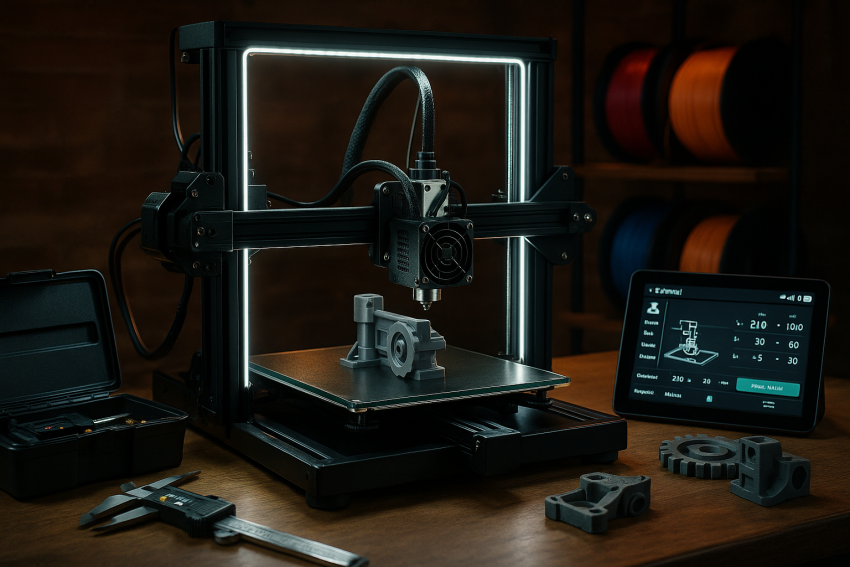
Lighting upgrades might seem purely cosmetic, but ask anyone who’s tried to diagnose layer shifts in a dim garage—LED strips around your frame will save your sanity. Enclosures, meanwhile, do double duty: they stabilize temperature for better ABS prints and keep curious pets (or kids) from poking the hot stuff.
Going Full Mad Scientist: 5-Axis and Beyond
Alright, ready for something really wild? Researchers have been experimenting with five-axis 3D printers. A team recently detailed an open-source platform called Open5x on arXiv, which adds rotational axes to the print head. Why does this matter? Because it lets you print true overhangs without supports and create complex geometries impossible on a regular Cartesian machine. Imagine printing a propeller blade in one continuous helix—no supports, no post-processing. It’s like having a robotic sculptor that understands fluid dynamics.
Sure, it’s still mostly academic (unless you’re willing to cobble together your own CNC-hybrid monster). But it hints at the insane future of consumer 3D printing—one that might become mainstream in just a few years.
Picking the Right Printer So Your Upgrades Don’t Go To Waste
Now, all this talk of mods means nothing if your printer is a closed ecosystem that fights you every step of the way. That’s why many enthusiasts still lean toward open-source platforms. The Ender 3 (and its many clones), Prusa’s i3 MK3S+, and new CoreXY models like Voron kits give you room to experiment.
Tom’s Hardware recently rounded up the best printers for 2025, and modularity was a huge part of why certain models topped the list. Machines like the Bambu X1C offer a surprisingly advanced feature set out of the box—including multi-color filament handling—while still leaving room for accessories.
That said, be careful not to fall into the “upgrade spiral,” as Wired jokingly warns beginners. It’s easy to spend hundreds trying to fix problems that maybe a new machine could have solved outright. So prioritize upgrades that solve real needs—like printing hotter materials, cutting down noise, or boosting speed—before chasing the novelty of flashy LED-lit dragster beds.
Managing Costs Without Getting Sucked Into the 3D Printing Black Hole
Let’s have a quick heart-to-heart: upgrading 3D printers can be addictive. It scratches that same itch as building PCs or wrenching on old cars. But unlike a new graphics card that just drops into a slot, 3D printer upgrades often come with tinkering, tuning, and troubleshooting.
So start with the highest return upgrades: a quality all-metal hotend, dual-gear extruder, and a solid auto-leveling probe. Then branch into firmware with Klipper if you want serious speed gains. Multi-material setups are fun, but unless you’re consistently printing multi-color signage or engineering prototypes, they’re more luxury than necessity.
The key is to keep your goals front and center. If your dream is to print ABS motorcycle parts that won’t warp, your money’s better spent on an enclosure and heated chamber upgrades than a tool-changer. If it’s cosplay helmets in dazzling multi-color gradients, then yeah, the Palette or AMS might be your jam.
Wrapping It Up (Before You Spend Your Kid’s College Fund on Extruders)
At the end of the day, 3D printing upgrades are about turning your machine into a tool that fits your needs and projects—whether that’s cranking out RC car parts that can take a beating or hyper-detailed models for your D&D campaigns.
If you found this guide helpful (or at least got a chuckle out of it), why not keep the conversation going? Subscribe to our newsletter for more deep dives, or drop a comment below to show off your own printer Frankenmods. Heck, you can even contact me directly—I’d love to see what crazy stuff you’re building. After all, this hobby’s way more fun when we share the hacks, fails, and epic wins together.

Sources
- 3D Printer Upgrades: Enhancing Performance and Functionality – Creality Cloud guide on hardware, firmware, and software upgrades
- Ultimate 3D Printer Upgrade Purchase Guide – Comprehensive upgrade recommendations from 3DPrintBeginner
- Klipper Firmware – In-depth on advanced firmware upgrade for speed and precision
- Top 10 Creality Ender 3 Upgrades – Accessory and mod overview for a popular printer
- Must‑Have Tools for 3D Printing – Tools that complement upgrades for maintenance and print quality :contentReference[oaicite:5]{index=5}
- Multi‑Material 3D Printing – Techniques and hardware for color/material upgrades
- The Best 3D Printers for 2025 – Context on upgrade‑friendly, modular printers
- Curious About 3D Printing? Here Are Some Tips – Focused advice to avoid the “upgrade spiral”
- Open5x: Accessible 5‑axis 3D printing – Academic insight into advanced multi-axis upgrades
- Essential 3D Printer Accessories in 2023 – Accessory mods that boost performance
- 2025’s Best 3D Printers Are the Best I’ve Seen – Highlights on upgraded models and features
- Best 10 Large 3D Printers to Buy in 2025 – Covers modular and upgradeable large-format units
Disclaimer:
The views and opinions expressed in this post are solely those of the author. The information provided is based on personal research, experience, and understanding of the subject matter at the time of writing. Readers should consult relevant experts or authorities for specific guidance related to their unique situations.