
1,400 words, 7 minutes read time.
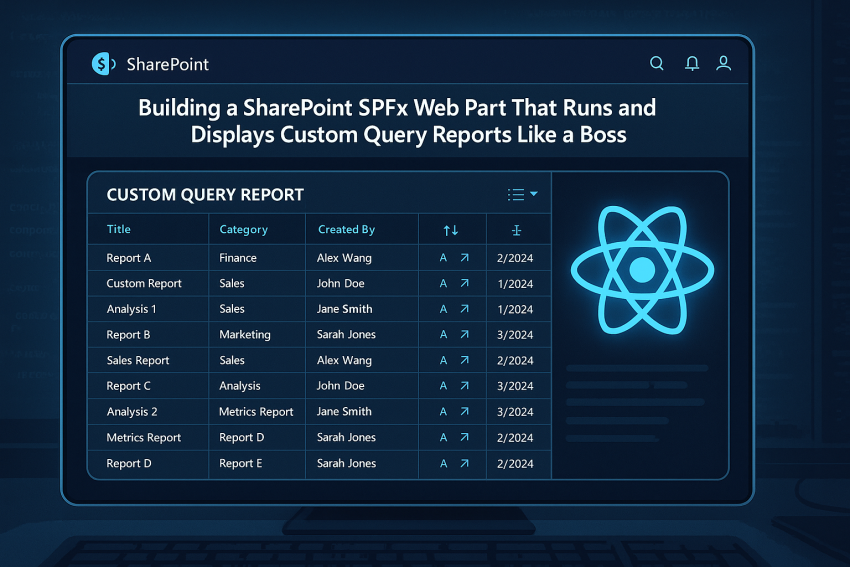
If you’ve spent enough time wrangling data inside SharePoint, you already know the struggle. Lists, libraries, and built-in views are fine for simple tasks, but when you need to pull live data dynamically from a backend, run custom queries, and display results in a sortable, responsive table, most approaches hit a wall. This is all theory for now — I haven’t written the full web part or web services yet, just some test code. It’s an idea I’ve had for a few years: a quick and simple report writer that gives admins real-time control without breaking everything. I’m pushing back the final post in our SharePoint Property Pane series — “Master the SPFx Property Pane: Build Configurable Web Parts That Don’t Break Under Pressure” — to next week because I felt this post needed to go out first.
This post is for the men who tackle problems head-on. We’re going deep into building a SharePoint SPFx Web Part that doesn’t just run, but thrives: letting you send custom SQL-style queries to a CFScript-based backend web service, securely fetch results, and render them in a dynamic React table. By the end, you’ll understand the architecture, security considerations, front-end design, and practical hurdles, all while keeping your web part safe and maintainable.
Why a Custom Web Part Makes Sense
SharePoint has its limitations. Built-in views are great until you want a dynamic report from an external database. Embedding Excel or Power BI adds complexity and licensing headaches. By building a custom SPFx web part, you take control. You can communicate with any backend you manage, process responses exactly how you want, and render them beautifully. No waiting for IT tickets. No patchwork workarounds.
The architecture is elegant in its simplicity: the SPFx front end handles rendering and user input, the backend web service processes queries safely, and your property pane provides a slick interface for admins to enter or tweak queries.
The Flow of Data
Imagine this flow: a user enters a SQL query into a custom property pane and clicks “Apply.” The SPFx component requests a JWT token from your CFScript-based backend using a secure API key. Once validated, it sends the SQL query for execution. The backend returns JSON containing rows and columns. The front end normalizes the data, handles sorting when headers are clicked, and displays it in a clean table.
Everything is modular. The front end never sees database credentials, the backend never blindly trusts raw user input, and the web part is reusable across multiple reports. You get power and control without risking chaos.
Dynamic Data Viewer: Front-End Powerhouse
At the heart of the web part is a React component we call DynamicDataViewer. Its job is simple but critical: fetch, manage, and display data reliably. The component handles three states — loading, error, and success — and dynamically sorts rows when users interact with table headers.
Here’s a stripped-down look at the core fetch logic:
useEffect(() => {
  if (!webServiceUrl || !apiKey) return;

  getJwtToken(webServiceUrl, apiKey)
    .then(token => token && getData(webServiceUrl, token, sqlQuery))
    .then(response => setData(response))
    .catch(() => setError('Error loading data.'));
}, []);
Notice how lightweight it is. No unnecessary bells or whistles, just a clear, predictable data flow.
Sorting is handled on the client side, instantly responsive to user clicks:
const sortedRows = useMemo(() => {
  if (!data?.ROWS) return [];
  return [...data.ROWS].sort((a, b) => {
    const aVal = a['columnName'];
    const bVal = b['columnName'];
    return aVal < bVal ? -1 : aVal > bVal ? 1 : 0;
  });
}, [data?.ROWS]);
Even if the backend returns messy column names or inconsistent data, the component normalizes everything, ensuring that what the user sees is consistent and usable.
Security: Let Users Query Without Breaking Things
Here’s where this web part really shines. The genius is letting admins type their SELECT query while mitigating all the classic SQL risks. SQL injection is real, and one careless move could ruin a production database.
We address this through several layers:
- Database permissions: The CFScript-based backend connects using a read-only account that can only execute
SELECTstatements. Even if someone triesDROP TABLE, the database itself blocks it. - Query validation and sanitization: Both front-end and backend check queries. Forbidden characters like semicolons (
;) and asterisks (*) are removed, and only queries starting withSELECTare allowed.
Example of front-end validation:
function validateQuery(sql: string) {
  const trimmed = sql.trim();
  if (!trimmed) return { error: 'SQL query is required', cleaned: '' };

  const firstWord = trimmed.split(/\s+/)[0].toLowerCase();
  if (firstWord !== 'select') return { error: 'Only SELECT statements allowed', cleaned: trimmed };

  return { error: '', cleaned: trimmed.replace(/;/g, '').replace(/\*/g, '') };
}
Backend validation follows a similar logic, adding a second line of defense. Double-layer security like this is what keeps your web part bulletproof.
Custom Property Pane: Clean Query Input
A major headache in SPFx development is exposing configuration options in a clean, user-friendly way. Typing SQL in a tiny textbox is painful. That’s why we built a custom property pane control:
ReactDOM.render(
  <SqlQueryEditor
    value={currentValue}
    onChange={newVal => props.onChanged(newVal)}
  />,
  elem
);
This small React component renders a textarea, validates input in real time, and feeds changes back to SharePoint’s property system. Users get control without risking the system.
Later in the series, we’ll explore this fully in “Master the SPFx Property Pane: Build Configurable Web Parts That Don’t Break Under Pressure.”
React State and Performance
State management is key. The web part handles sorting, loading, errors, and fetched data efficiently. Sorting is done in memory, so users get instant feedback without extra network trips. Fetching occurs only when necessary — when the query changes or the web part reloads.
Here’s a glimpse at state handling:
const [data, setData] = useState<QueryServiceResponse>();
const [loading, setLoading] = useState(false);
const [error, setError] = useState<string>();
const [sortConfig, setSortConfig] = useState<{ key: string; direction: 'asc' | 'desc' } | null>(null);
This setup keeps the component predictable and maintainable. It’s like having a gearbox tuned for city traffic — smooth shifts, no surprises.
Error Handling That Actually Works
Errors happen. Connections fail, queries return nothing, or JSON formatting is off. This web part gracefully displays errors:
{error && <p style={{ color: 'red' }}>Error: {error}</p>}
{!loading && !error && !data && <p>No data returned from the service.</p>}
No cryptic messages, no broken pages. Users know what’s wrong; developers know where to look. Stability under chaos is a hallmark of expert-level components.
Styling and Responsiveness
Raw HTML tables won’t cut it. SCSS modules style the table for clarity and responsiveness: alternate row colors, hover states, and mobile-friendly adjustments. Encapsulation prevents styling collisions with other page elements.
Users get a table that looks clean, feels interactive, and adapts to any screen size — exactly what professional reports demand.
Lessons Learned
This project reinforced a few truths:
- Never trust user input.
- Normalize and validate everything.
- Keep database accounts minimal.
- Log invalid queries intelligently.
- Simplify front-end logic — lighter code is easier to maintain.
When users click a header and the table responds instantly, or when the backend rejects a dangerous query safely, you feel that developer pride. That’s what this web part delivers.
Wrapping It Up
Creating a SharePoint SPFx Web Part that dynamically runs SQL queries is challenging, but when done properly, it’s empowering. A CFScript-based backend handles authentication and validation, a React front end manages state, sorting, and rendering, and a custom property pane gives admins real control.
This isn’t a beginner project. It’s for developers who want full control, understand trade-offs, and deliver tools that work in production.
Next in the series: “Master the SPFx Property Pane: Build Configurable Web Parts That Don’t Break Under Pressure,” where we’ll dig deeper into property pane controls that empower users without exposing vulnerabilities.
Call to Action
If you’re ready to level up your SharePoint SPFx skills, subscribe to my newsletter for more in-the-trenches insights: Subscribe Here.
Got a tricky SharePoint problem, or want to share your experiences building dynamic web parts? Join the conversation by leaving a comment or connect with me directly for consulting: Contact Me.
If you appreciate the content and want to support my work, you can buy me a coffee — it helps me keep cranking out expert-level posts just for you.

Sources
- Microsoft Learn: SharePoint Framework Overview
- React Documentation
- SPFx Property Pane Custom Fields
- JWT.io: JSON Web Token Introduction
- Microsoft Graph API Authentication
- MDN: Fetch API Reference
- OWASP Secure Coding Practices
- SPFx React Components Best Practices
- ColdFusion REST API Docs
- Microsoft Edge Developer Docs
- CSS-Tricks: Styling Tables
- Lodash Debounce Documentation
- MDN: Array.prototype.sort
- JSON Schema Basics
Disclaimer:
The views and opinions expressed in this post are solely those of the author. The information provided is based on personal research, experience, and understanding of the subject matter at the time of writing. Readers should consult relevant experts or authorities for specific guidance related to their unique situations.