
2,334 words, 12 minutes read time.
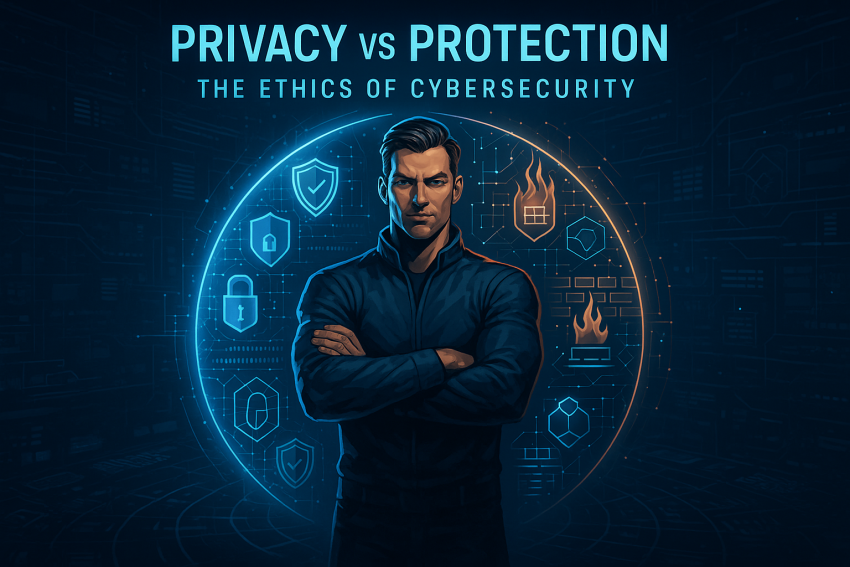
You know that feeling when your favorite wrench suddenly refuses to fit a bolt? That’s what the modern digital world feels like: the tools that made our lives easier now threaten the things we actually care about — privacy, autonomy, and dignity. This piece walks you through the ethical terrain of cybersecurity: how to think about the tradeoffs, what rules smart defenders live by, and — most importantly — concrete, practical ways you can protect yourself without becoming paranoid or sacrificing your principles.
I write this as someone who’s spent years in the trenches of cyber defense and watched the same mistakes repeat: over-trust in services, under-investment in basic hygiene, and ethical shortcuts that come back to bite. This isn’t a lecture. Think of it as the kind of straight, practical conversation you’d have in the garage: no nonsense, clear tools, and a couple of metaphors to make the point stick.
What “Ethical Cybersecurity” Actually Means
Ethical cybersecurity is the idea that security work shouldn’t just be effective — it should be right. That means your defensive choices should respect privacy, minimize harm, and be transparent when possible. The line between “defending” and “spying” is sometimes thin, and that’s the ethical tightrope we all walk.
Imagine you’re testing a lock on a shared locker. If you pick the lock to demonstrate weakness, you need permission, and you need to report what you found so the owner can fix it. Do that without consent and you’ve crossed into wrongdoing. The same principle applies to networks and systems. Ethical hackers (white hats) operate under permission and disclosure rules. Malicious actors (black hats) do not. Then there’s a gray class — people who find a vulnerability and monetize or publicize it irresponsibly. That’s where harm to real people and organizations happens.
A few practical ethical principles translate well into everyday decisions: collect the minimum data needed, apply “least privilege” (give access only to what’s necessary), deny unchecked surveillance, keep controls auditable, and use transparency where feasible. These are not fancy ideals; they’re the guardrails that keep protection from becoming oppression.
Why Privacy Feels Like Currency — And How It’s Spent
Your data is valuable. Not mysterious valuable — mercantile valuable. Everything you post, buy, or click can be stitched into a profile useful to marketers, bad actors, and sometimes governments. The average person underestimates how small signals combine into a detailed picture. Your social handles, a few location pings, and a handful of purchase records can tell someone a lot about your schedule, finances, and vulnerabilities.
Threats that matter to you: phishing that hooks your credentials, ransomware that locks your family photos and files, and elaborate social engineering that targets your identity. IoT devices are a constant leaky faucet — a smart thermostat or baby cam can be a hidden entry point into your home network. Data brokers quietly aggregate and sell profiles. Breaches happen; when they do, the fallout is often long-term identity theft, targeted scams, and worse.
Real-world incidents show the stakes: large consumer breaches and data misuse have exposed how fragile “trust” is when corporations don’t apply robust protection and simple privacy controls. The takeaway? Don’t be cavalier with the little data you can control; defend the things you care about proactively.
Protection — When It’s Necessary and When It Becomes Too Much
There’s a balancing act between protecting people and trampling their privacy. In some environments, monitoring has to be intrusive to be effective — think a hospital network that needs deep telemetry to detect a life-threatening infection of ransomware. In other contexts, broad surveillance is a blunt instrument that mostly harms normal people while empowering institutions.
A practical way to decide: proportionality. Is the scope of monitoring proportionate to the risk? Is there minimal collection and a plan to delete unnecessary data? Is access to that data restricted and auditable? These aren’t abstract checks — they’re the difference between defensive tooling that stops a virus and a fishing expedition that exposes private lives.
Companies and governments make these calls regularly. Good security practice uses “privacy by design”: bake in protections early so you don’t have to choose between privacy and protection later. For individuals, that translates into picking tools and services that do exactly what you asked, no more.
Concrete, Practical Steps: Your Cybersecurity Toolkit
Let’s get to the nuts and bolts. You don’t need to be a pen tester to get a pro-level posture — you need discipline, good habits, and a few solid tools used properly. Think of these as your toolbox: keep them close, learn them well, and practice using them.
First, passwords. Long, memorable passphrases beat short random strings that you reuse. But better still: a password manager. It’s the modern equivalent of a locked toolbox for your keys. Use one to generate unique credentials, and never reuse passwords across important accounts. Then enable multi-factor authentication (MFA) wherever it’s available. MFA adds a required second step (a time-based code, push notification approval, or hardware key). Hardware security keys (a small metal stick that plugs into your device) are the highest practical bar for account safety; for very sensitive accounts use them.
Second, updates and patching. Software vendors push fixes for a reason. Patching promptly prevents old exploits from being your problem. That holds for phones, PCs, routers, and smart home gadgets. If a device hasn’t been updated in years and can’t be, retire it.
Third, backups and recovery. The best defense against ransomware is reliable offline backups. The simple rule many pros follow is 3–2–1: three copies of your data, on two different media types, with one copy offsite or offline. Test your backups. A backup that can’t be restored is a paperweight.
Fourth, secure communications. When privacy matters — for financial transactions or sensitive conversations — prefer end-to-end encrypted apps and email services that have strong reputations for protecting metadata. Understand their tradeoffs. Some services are great for secure messaging but store metadata that could still be revealing. Use the right tool for the right job.
Fifth, networking hygiene. Use strong Wi-Fi configurations, change default router passwords, and put IoT gadgets on a separate network from your primary devices. A smart fridge shouldn’t have the same network privileges as your laptop. Consider a consumer-grade router that supports guest networks and modern security standards.
Sixth, the art of phishing resistance. Attackers prefer low-cost, high-reward targets: people. Train your instincts: unexpected attachments, messages that pressure you to act now, and email addresses that are “close but not quite” to a real domain are red flags. Don’t follow unknown links from email or text; instead, visit the trusted site directly. Use built-in browser protections and consider an email security solution that flags suspicious senders.
Seventh, limit data exposure. Think before you sign in with social accounts everywhere. Every third-party permission is another vector. Review app permissions on your phone; remove apps you don’t use; audit which apps have access to location, contacts, and camera. When a service asks for data that seems unrelated to its purpose, challenge it.
Eighth, understand physical security. A stolen device is the fastest path to compromise. Use full-disk encryption on laptops and phones (FileVault on macOS, BitLocker on Windows, and encrypted storage on phones), and set strong screen-lock PINs. If a device falls into the wrong hands, encryption and a strong lock are your last line of defense.
Ninth, compartmentalize. Use separate accounts for day-to-day browsing, financial matters, and work. Browser profile separation reduces the risk that a website you visit in a casual session infects your finance-focused profile. This is the digital equivalent of keeping certain tools in different drawers so they don’t get mixed up.
Tenth, stay informed and skeptical. Follow reputable security sources and adopt a healthy dose of skepticism toward “too good to be true” offers and urgent-sounding requests. But don’t let skepticism turn into paralysis — the goal is smart, consistent action, not fear.
Ethical Choices for Companies and Governments (Why They Matter to You)
Organizations hold a lot of power over the protections you can expect. A company that collects data for “convenience” has a duty to secure it. That means encrypting data in transit and at rest, practicing least privilege for employees, and preparing clear incident response plans so that, when a breach happens, affected people are notified quickly and with actionable steps.
Government surveillance adds another dimension. Democracies struggle with balancing law enforcement’s need to prevent harm and individual rights. For citizens, the practical takeaway is to favor transparency and accountability in institutions that wield surveillance powers. Demand clarity on why data is collected and how long it’s kept. Support measures that require audits and warrants, not secret bulk collection.
Regulations and standards — privacy laws, data protection frameworks, and industry standards — push companies toward better behavior. From a user perspective, choosing services that follow strong standards and public frameworks can protect you as much as any personal step.
Gray Areas: Vulnerability Disclosure, Bug Bounties, and Moral Choices
Not all choices are clear-cut. Say you find a vulnerability in a product you use. Do you publish it publicly, tell the vendor privately, or monetize it? Responsible disclosure — reporting to the vendor and giving them time to fix the issue before public disclosure — strikes a balance between transparency and preventing harm. Some companies run bug bounty programs that reward responsible disclosure. Monetizing vulnerabilities on gray markets enriches criminals and harms users.
Another gray area involves law enforcement. Many defenders work with authorities to take down cybercriminal infrastructure. But intelligence-driven surveillance without oversight can overreach. The ethical stance here is to prioritize targeted, accountable action, with clear legal basis and oversight. For individuals, that means supporting institutions and policies that enable law enforcement while protecting civil liberties.
The Role of AI, Automation, and the Next Wave of Complexity
AI changes the game in two ways. First, defenders get powerful new tools: automated threat detection, anomaly spotting, and intelligent triage that scale defense faster than manual teams. Second, attackers also get smarter: AI can craft more convincing phishing lures, synthesize realistic voices for scams, and automate probing at scale. That raises ethical questions about automated surveillance and false positives. If a machine decides someone is suspicious and triggers monitoring or restriction, who reviews that decision? Explainability and human oversight matter.
Another looming change is quantum computing. If practical quantum machines arrive, some current encryption schemes will be vulnerable. That’s why organizations and standards bodies are already working on quantum-resistant cryptography. For you, the practical implication is to prefer services that show awareness of these transitions and follow recommended standards.
Building a Culture of Responsibility — Personal and Social
Security isn’t just technology; it’s culture. Teams that practice regular exercises, post-incident reviews, and a “blame-free” reporting environment get better at defense. Individuals who talk to friends and family about scams, help older relatives set up MFA, and model good habits reduce community-level risk. Think of it like neighborhood watch for the digital age: your habits ripple and benefit others.
Being a responsible member of the online community also means not glorifying skill without context. Curious guys who tinker with hacking tools should channel that curiosity into ethical directions: learning secure coding, contributing to open-source security projects, or joining legit bug bounty programs.
Practical Scenarios — What You Do When Things Go Wrong
If you suspect a compromise: disconnect the affected device from the network, change passwords (from a clean device), and restore from backups if necessary. For account breaches, enable MFA and review account activity and connected apps. If sensitive data is at risk, consider identity protection monitoring and notify banks or relevant institutions. Document what happened for later analysis. For larger incidents, professionals exist for a reason — call a reputable incident response firm if the stakes are high.
If a service you use discloses a breach, don’t shrug it off. Change passwords, watch for phishing attempts that exploit the breach, and verify whether you need to update financial details. A breach is the time to be proactive, not passive.
Final Thoughts — Be Prepared, Not Paranoid
The ethics of cybersecurity is a living conversation between values and necessity. You don’t have to be an expert to do the right thing. Apply common-sense principles: minimize the data you share, use strong authentication and backups, update devices, and choose services that respect privacy. Learn the difference between security technologies and privacy theater — shiny features mean little if they don’t reduce real risk.
Being a modern man who understands these tradeoffs isn’t about being fearful; it’s about competence. Think of your digital life like a beloved classic truck: with the right maintenance, quality parts, and a few good locks, it runs better, longer, and you sleep easier knowing it’s ready for whatever the road throws at you.
If you want a short checklist to get started today: set up a password manager, enable MFA on critical accounts, schedule automatic updates, and create a tested backup. Do those things and you’ll be ahead of most people.
If you found this useful, subscribe to the newsletter for more deep dives and practical guides, or leave a comment below to join the conversation. Want hands-on help or an audit of your setup? Contact me directly and we’ll talk through what’s practical and worth doing first.

Sources
- NIST Cybersecurity Framework – National Institute of Standards and Technology
- Cybersecurity & Infrastructure Security Agency (CISA)
- Kaspersky Resource Center – What is Cybersecurity?
- National Cybersecurity Alliance – Stay Safe Online
- Cybersecurity Dive – Industry News and Analysis
- CSO Online – Security & Risk Management Insights
- Norton – What is Cyber Ethics?
- IBM – Cybersecurity Basics
- Forbes – The Ethics of Cybersecurity
- Privacy International – Protecting Data Rights Worldwide
- Bruce Schneier on Security – Thought Leadership Blog
- CyberScoop – Cybersecurity News & Policy
- WIRED Security – Privacy & Cybersecurity Reports
- ISACA – IT Governance, Risk, and Cybersecurity Resources
- European Union Agency for Cybersecurity (ENISA)
Disclaimer:
The views and opinions expressed in this post are solely those of the author. The information provided is based on personal research, experience, and understanding of the subject matter at the time of writing. Readers should consult relevant experts or authorities for specific guidance related to their unique situations.