

1,464 words, 8 minutes read time.


In the ever-evolving landscape of web development, TypeScript stands as one of the most powerful tools for creating scalable and maintainable applications. One feature that has garnered attention in recent years is TypeScript decorators. These special annotations allow developers to add metadata to classes, methods, properties, and parameters in a way that enhances both functionality and readability. But what exactly are decorators, and why should you care?
At its core, decorators enable a new level of abstraction in TypeScript by allowing you to extend or modify the behavior of existing code without altering the code itself. In this document, we’ll explore the power of TypeScript decorators, dive into the mechanics of metadata, and uncover how these tools can help you write cleaner, more efficient code.
Throughout this guide, we’ll break down the concepts with practical examples, advanced techniques, and real-world applications that will help you harness the true power of TypeScript decorators.
Understanding TypeScript Decorators
To start, it’s essential to understand what decorators are and why they’re so valuable in TypeScript.
What are Decorators?
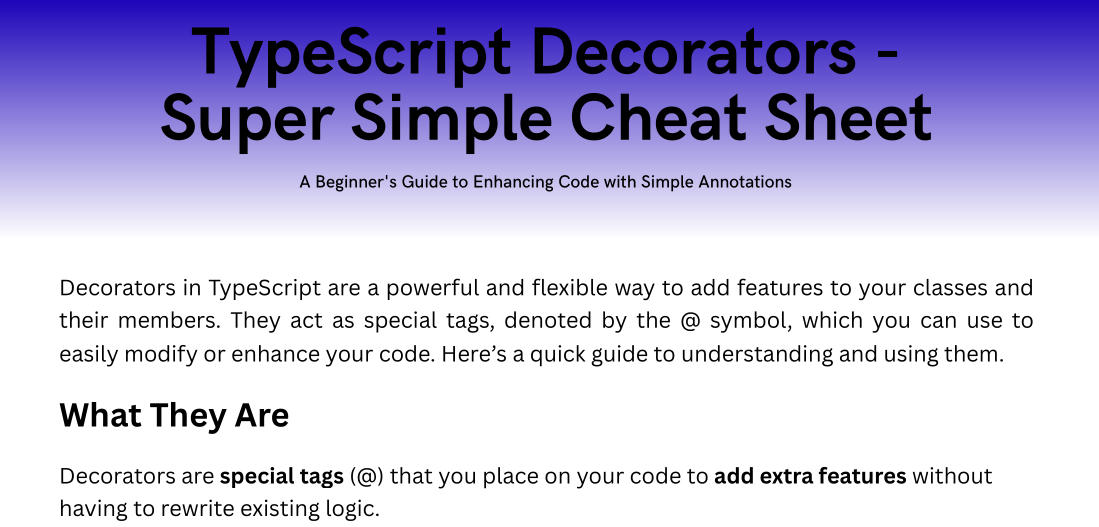
A decorator in TypeScript is essentially a function that can be applied to a class, method, property, or parameter. This function can modify the behavior or characteristics of the element it’s attached to, offering an easy way to apply changes across multiple parts of your codebase.
The decorator pattern has been popular in object-oriented programming for quite some time, and TypeScript has adopted it as a first-class citizen. Decorators are designed to add additional functionality to methods and classes in a clean and declarative way.
The Rise of Decorators
Although decorators aren’t a new concept in programming, their introduction in TypeScript brought them into the spotlight for web development. Previously, JavaScript had no formal support for decorators, which led developers to rely on various libraries and workarounds. With TypeScript, decorators became a built-in feature that further strengthens the language’s appeal.
Types of Decorators
There are several types of decorators in TypeScript, each serving different purposes:
- Class Decorators: These are applied to a class and can be used to modify or extend the class itself.
- Method Decorators: Used to enhance or modify the behavior of a method within a class.
- Property Decorators: Applied to properties of a class, allowing for additional metadata or behavior.
- Parameter Decorators: These allow you to add metadata to method parameters, often used in frameworks like Angular for dependency injection.
How Decorators Work
Now that we’ve established what decorators are, let’s dive deeper into how they work under the hood.
Decorators leverage the Reflect Metadata API to interact with classes and their members. This allows them to access and manipulate metadata—data about your code’s structure that is stored alongside the code itself. TypeScript provides a set of built-in decorators like @Injectable (used in Angular) and @Route (for routing in Express).
The general syntax for a decorator is as follows:
function MyDecorator(target: any, propertyKey: string, descriptor: PropertyDescriptor) {
    // Decorator logic
}

@MyDecorator
class MyClass {
    // Class definition
}
The @MyDecorator decorator is applied to the MyClass class. The decorator receives the class constructor as an argument, allowing you to alter its behavior or extend its functionality.
Example of a Simple Class Decorator
Let’s look at an example of a class decorator that logs when an instance of the class is created:
function LogClass(target: any) {
    console.log(`Class ${target.name} has been created`);
}

@LogClass
class MyClass {
    constructor() {
        console.log('MyClass instance created');
    }
}

const myClassInstance = new MyClass();
When you run this code, the output would be:
Class MyClass has been created
MyClass instance created
This demonstrates how the LogClass decorator can log messages when a class is instantiated.
Metadata in Decorators
The concept of metadata is central to the power of TypeScript decorators. Metadata allows you to store additional information about classes, methods, or properties that can be retrieved and used later. This is where the reflect-metadata library comes into play.
The Reflect Metadata API enables decorators to add metadata to various elements in your application. For example, you can use decorators to mark certain methods for logging, or add validation metadata to method parameters for runtime validation.
Using Reflect Metadata
To enable metadata reflection in TypeScript, you must install and import the reflect-metadata package:
npm install reflect-metadata
import 'reflect-metadata';Let’s look at a simple example of using metadata in a decorator:
function Log(target: any, key: string) {
    const metadata = Reflect.getMetadata('design:type', target, key);
    console.log(`Property ${key} is of type ${metadata.name}`);
}

class MyClass {
    @Log
    public myProperty: string;
}
In this example, when the decorator @Log is applied to the myProperty of MyClass, it logs the type of the property. The metadata is fetched using Reflect.getMetadata, which can provide detailed insights into the type of a property.
Practical Applications of TypeScript Decorators
TypeScript decorators are a versatile tool that can be applied across various domains of web development. Below are some of the most common applications:
1. Validation
You can use decorators for input validation in web forms or API requests. For example, a decorator could be used to validate that an email address adheres to the correct format:
function IsEmail(target: any, key: string) {
    const value = target[key];
    if (!/\S+@\S+\.\S+/.test(value)) {
        console.error(`${key} must be a valid email address`);
    }
}

class User {
    @IsEmail
    email: string;
}
2. Dependency Injection
Decorators are widely used in frameworks like Angular for dependency injection. In Angular, decorators like @Injectable() and @Inject() allow classes and services to be injected into other components without needing to manually instantiate them.
@Injectable()
class MyService {
    constructor(private logger: Logger) {}
}
3. Logging and Performance Monitoring
Decorators can be used to monitor method execution times or log method calls, which is useful for debugging or tracking performance.
function LogExecutionTime(target: any, key: string, descriptor: PropertyDescriptor) {
    const originalMethod = descriptor.value;

    descriptor.value = function (...args: any[]) {
        const start = performance.now();
        const result = originalMethod.apply(this, args);
        const end = performance.now();
        console.log(`${key} executed in ${end - start}ms`);
        return result;
    };

    return descriptor;
}

class MyService {
    @LogExecutionTime
    fetchData() {
        // Simulating a network request
        return new Promise(resolve => setTimeout(resolve, 2000));
    }
}
Challenges and Best Practices
While decorators provide a powerful tool for enhancing TypeScript code, there are challenges to consider:
- Complexity: Decorators can introduce complexity if overused, making the code harder to debug.
- Performance: Excessive use of decorators could lead to performance issues, especially when metadata is heavily relied upon.
- Type Safety: TypeScript decorators can be tricky to get right in terms of maintaining type safety. Careful planning is necessary when using them.
Best Practices:
- Use decorators judiciously and in a modular way.
- Prefer decorators that don’t impact performance significantly.
- Ensure type safety by using strict compiler options in TypeScript.
Decorators in Frameworks and Libraries
TypeScript decorators have found a home in various popular frameworks:
1. Angular: The @Component, @Injectable, and @Directive decorators in Angular are key features that allow developers to create robust, modular applications. 2. NestJS: A backend framework built with TypeScript, NestJS uses decorators extensively to simplify dependency injection and routing.
By understanding how decorators work, you can leverage their power in frameworks and libraries to streamline your development process.
Advanced Topics in TypeScript Decorators
As you gain more experience with decorators, you may encounter advanced use cases that require deeper understanding:
1. Custom Decorators: These are reusable, flexible, and allow you to define your own logic. For example, you can create a custom decorator for logging errors or validating inputs.
2. Decorator Composition: Combining multiple decorators to enhance functionality is a powerful pattern. A decorator factory can help you create composed decorators for specific tasks.
3. Future of Decorators: As TypeScript evolves, so too does the use of decorators. The ongoing development of the decorator metadata system will continue to enhance their utility.
Conclusion
TypeScript decorators are a powerful feature that can elevate the quality of your code by adding reusable, declarative logic to your classes, methods, and properties. They allow for cleaner, more maintainable code by reducing boilerplate and offering a high level of abstraction. Whether you’re working on a front-end framework like Angular or a back-end framework like NestJS, decorators provide a flexible way to add metadata and behavior to your code.
The next time you sit down to write a TypeScript application, consider using decorators to enhance your code. Whether you’re logging method calls, injecting dependencies, or validating inputs, decorators can help you write more efficient and maintainable code.
If you found this guide helpful, don’t forget to subscribe to our newsletter for more expert tips, tutorials, and insights on TypeScript and web development!

Sources
- TypeScript Documentation: Decorators
- TutorialsTeacher – TypeScript Decorators
- Learn JavaScript: Understanding Decorators
- DigitalOcean – TypeScript Tutorial
- Dev.to – TypeScript Decorators Articles
- StackAbuse – TypeScript Decorators Explained
- npm – Reflect Metadata
- NGDevelop – Angular Decorators
- NestJS Official Documentation
- GitHub – Reflect Metadata
Disclaimer:
The views and opinions expressed in this post are solely those of the author. The information provided is based on personal research, experience, and understanding of the subject matter at the time of writing. Readers should consult relevant experts or authorities for specific guidance related to their unique situations.