
1,226 words, 6 minutes read time.
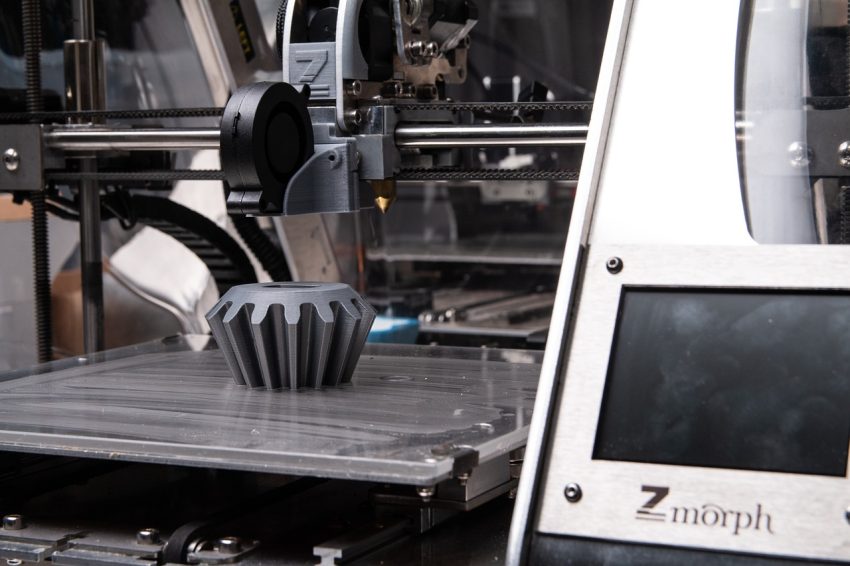
Image by ZMorph Fab 3D Printer from Pixabay
When it comes to 3D printing, achieving the perfect print is as much about skill as it is about understanding your materials. One critical factor often overlooked by beginners is temperature control. From the print nozzle to the heated bed and even the surrounding air, every temperature variable impacts your print quality. Let’s dive into the printing, bed, and ambient temperatures required for various popular 3D printer filaments. To make this information as practical as possible, we’ve provided temperatures in both Celsius (C) and Fahrenheit (F).
Filament Temperature Chart
| Filament | Printing Temp (°C / °F) | Bed Temp (°C / °F) | Ambient Temp Recommendations (°C / °F) | Notes |
|---|---|---|---|---|
| PLA | 180–230°C / 356–446°F | Optional: 60–80°C / 140–176°F | 20–25°C / 68–77°F | Excessive heat may cause heat creep and filament softening before extrusion. |
| ABS | 210–250°C / 410–482°F | 50–100°C / 122–212°F | 40–50°C / 104–122°F | An enclosure is recommended to prevent warping and layer separation. |
| PETG | 220–235°C / 428–455°F | Optional: 60–80°C / 140–176°F | Slightly above room temp | Prints well at room temp; warmer environments can reduce warping. |
| Nylon | 220–260°C / 428–500°F | 50–100°C / 122–212°F | Warm environment | Enclosure minimizes warping and reduces the effect of drafts. |
| TPU | 225–235°C / 437–455°F | Optional | Room temperature (20–25°C / 68–77°F) | Free from drafts to maintain print quality. |
Key Insights for Successful 3D Printing
PLA (Polylactic Acid)
PLA is one of the easiest filaments to print and is beginner-friendly. It performs well at room temperature (68–77°F / 20–25°C) and doesn’t require a heated bed. If you’re using a heated bed, aim for 140–176°F (60–80°C). However, excessive heat in the environment can cause filament softening before it reaches the nozzle, known as heat creep.
PLA’s simplicity makes it ideal for hobbyists and professionals working on less demanding projects. Its biodegradability and wide color options also add to its appeal. However, despite being user-friendly, PLA’s brittleness can make it unsuitable for objects requiring durability or flexibility. For best results, ensure consistent cooling and avoid overheating the nozzle to prevent stringing.
ABS (Acrylonitrile Butadiene Styrene)
ABS is a robust filament, but it requires precise temperature control. Printing at 410–482°F (210–250°C) and maintaining a bed temperature of 122–212°F (50–100°C) is crucial. An ambient temperature of 104–122°F (40–50°C) within an enclosed printer reduces warping and ensures better adhesion between layers.
ABS is a favorite for engineering applications because of its strength and heat resistance. It’s perfect for items like enclosures, mechanical parts, and tools. However, ABS emits fumes during printing, so adequate ventilation or an air purifier is necessary. Post-processing options, such as acetone smoothing, can give ABS prints a polished finish, enhancing their professional appearance.
PETG (Polyethylene Terephthalate Glycol)
PETG strikes a balance between strength and ease of use. It works well at a nozzle temperature of 428–455°F (220–235°C) and a bed temperature of 140–176°F (60–80°C). While PETG generally prints fine at room temperature, a slightly elevated ambient temperature can improve performance, especially for larger prints.
PETG combines the best properties of PLA and ABS. It is stronger than PLA and more flexible than ABS, making it suitable for a wide range of applications. Its resistance to water and chemicals adds to its versatility, allowing for outdoor use and food-safe applications (when properly certified). However, PETG can be stringy during printing, requiring careful tuning of retraction settings.
Nylon
Nylon is a durable material but is prone to warping. Print at 428–500°F (220–260°C) with a bed temperature of 122–212°F (50–100°C). Maintaining a warm ambient environment, such as using an enclosure, is highly recommended to minimize drafts and temperature fluctuations.
Nylon is the filament of choice for functional prototypes and mechanical parts due to its exceptional strength and flexibility. It is abrasion-resistant and can handle significant stress, making it ideal for gears, hinges, and bearings. However, Nylon’s tendency to absorb moisture requires careful storage in airtight containers with desiccants. Pre-drying the filament is often necessary for optimal results.
TPU (Thermoplastic Polyurethane)
TPU is a flexible filament that’s forgiving in terms of ambient conditions. Print it at 437–455°F (225–235°C) in a draft-free room environment (68–77°F / 20–25°C). A heated bed is optional but can help with first-layer adhesion.
TPU is perfect for applications requiring elasticity, such as phone cases, gaskets, and wearables. Its resistance to oil and chemicals adds to its versatility. However, TPU’s flexibility can make it challenging to feed through some extruders, particularly bowden setups. Slowing down print speeds and optimizing retraction settings can significantly enhance print quality.
Troubleshooting Temperature-Related Issues
Stringing and Oozing
Stringing occurs when small threads of filament appear between printed sections. This issue is typically caused by high printing temperatures or inadequate retraction settings. Lowering the nozzle temperature slightly and fine-tuning retraction can mitigate this problem.
Warping
Warping is a common issue with temperature-sensitive filaments like ABS and Nylon. It happens when layers cool too quickly, causing the edges to lift off the bed. To combat warping, use a heated bed, apply adhesives like glue sticks or hairspray, and maintain a stable ambient temperature with an enclosure.
Under-Extrusion
Under-extrusion leads to gaps between layers or weak prints. It often stems from low nozzle temperatures, clogged nozzles, or inconsistent filament feeding. Gradually increasing the nozzle temperature and checking for clogs can resolve this issue.
Overheating
Overheating causes sagging or deformities in the print, particularly in small or intricate sections. This issue is often due to excessively high nozzle temperatures or insufficient cooling. Lowering the temperature and increasing fan speed can help achieve sharper details.
Advanced Temperature Control Techniques
Using Temperature Towers
Temperature towers are test prints that allow you to identify the optimal nozzle temperature for a filament. By printing a tower with incremental temperature changes, you can observe how each section performs and choose the best setting for your filament and printer.
Monitoring Ambient Conditions
Ambient temperature plays a crucial role in printing success, particularly for materials like ABS and Nylon. Using an enclosure to stabilize environmental conditions can improve layer adhesion and prevent warping. For draft-prone environments, consider insulating your printer or using a heated enclosure.
PID Tuning
PID (Proportional-Integral-Derivative) tuning ensures that your printer maintains a consistent nozzle temperature. Most 3D printers allow you to run a PID tuning process via firmware, which calibrates the heating element for stable performance.
Pre-Drying Filaments
Moisture absorption can negatively affect print quality, especially with hygroscopic filaments like Nylon and TPU. Pre-drying your filament using a filament dryer or an oven at low temperatures can significantly improve results.
General Recommendations
- Avoid Drafts: Sudden air currents can cause uneven cooling, leading to warping and poor layer adhesion.
- Use Enclosures: For temperature-sensitive materials like ABS and Nylon, enclosures help maintain a stable printing environment.
- Monitor Printer Components: In enclosed setups, ensure your printer’s components can withstand elevated ambient temperatures.
- Proper Filament Storage: Store filaments in dry conditions to prevent moisture absorption, which can degrade print quality.
- Experiment and Adjust: Every printer and filament is unique. Don’t hesitate to tweak settings to achieve the best results.
Final Thoughts
Mastering temperature control is essential for producing high-quality 3D prints. By understanding the specific requirements of each filament, you can minimize defects and ensure your prints meet your expectations. Whether you’re printing at room temperature with PLA or managing an enclosure for ABS, proper temperature settings make all the difference.
Experimentation and patience are key to honing your skills. Take the time to learn your printer’s quirks and how different filaments respond to varying conditions. With practice, you’ll be able to tackle complex prints with confidence and achieve professional-grade results.
