
PostBlock
Transform Your Workshop with Gridfinity: Essential 3D Printing Tips
805 words, 4 minutes read time.
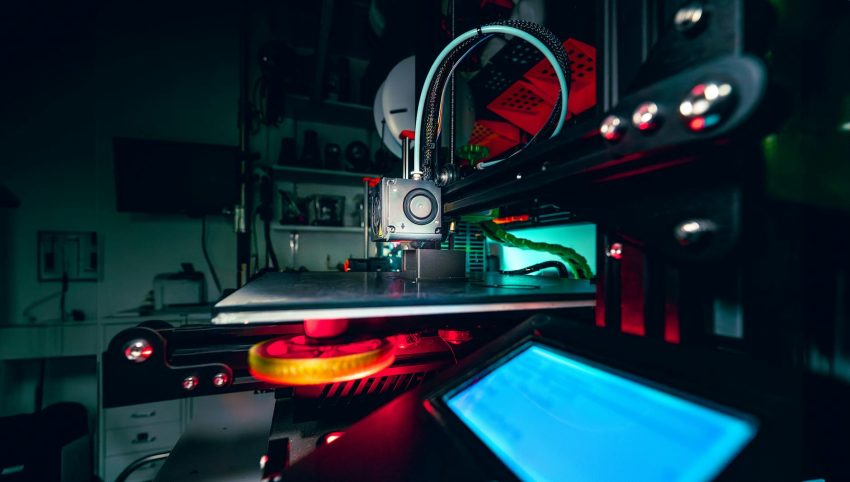
The Gridfinity system has revolutionized the way makers and DIY enthusiasts organize their workspaces. This open-source project, spearheaded by Zack Friedman, took inspiration from Alexander Chapel’s earlier designs but transformed them into something more versatile and community-driven. The open-source nature of Gridfinity has led to a flourishing ecosystem of designs and enhancements, showcasing the incredible power of collaborative innovation. If you’re diving into Gridfinity and eager to get your workshop in order, here are some crucial tips to ensure your 3D printing journey is smooth and productive.
1. Embrace the Power of the Community
One of the standout features of Gridfinity is its open-source approach. Unlike closed systems where updates and new designs are slow to roll out, Gridfinity benefits from a thriving community that continuously contributes new ideas and improvements. Joining the Gridfinity Discord community or subreddit can be incredibly helpful. These platforms are treasure troves of advice, tips, and shared designs that can streamline your organization system and help you solve any challenges you might face. Engaging with these communities not only provides you with support but also allows you to contribute your own designs and improvements.
2. Generate Custom Bins with Ease
The flexibility of Gridfinity means you don’t have to wait for new designs to come from the community or the original creators. If you have specific needs or want to customize your setup, you can generate your own bins and base plates using resources like OpenSCAD. For those less familiar with Fusion 360 or who prefer a simpler approach, users like Simply Jamie have converted Gridfinity into an OpenSCAD library. This tool allows you to tweak parameters and create bins tailored to your exact requirements, making it easier to get the perfect fit for your tools.
3. Design Custom Bins for Unique Tools
While empty bins are great, Gridfinity’s true potential shines through when you start creating custom designs for your tools. If you have specialized tools that don’t fit standard bins, consider using filled-in Gridfinity boxes as a base. By creating cutouts in these boxes, you can make custom storage solutions that perfectly fit your tools. This method ensures that even the most unique items have a designated spot, which enhances organization and accessibility in your workspace.
4. Optimize Your Printing with Nozzle Size
Choosing the right nozzle size can significantly impact your printing efficiency and quality. While a 0.6mm nozzle is commonly recommended, many users have found that a 0.8mm nozzle works just as well, especially when combined with the latest slicing technologies like Arachne perimeter generation in Cura or PrusaSlicer. Larger nozzles can speed up the printing process and handle larger volumes of filament, but be mindful of the layer height and infill settings to avoid issues with warping and surface finish.
5. Manage Temperature and Filament
Temperature control is crucial for achieving good layer adhesion, particularly when using larger nozzles. Printing at higher temperatures, such as 220°C, can improve the bonding between layers and reduce the likelihood of separation. However, be cautious about stringing and adjust settings accordingly. Additionally, using high-quality filament can prevent many common issues. While it might be tempting to use up leftover or cheaper filament, investing in reliable materials can save time and frustration in the long run.
6. Avoid Analysis Paralysis
With so many customization options available, it’s easy to get overwhelmed by decisions. Instead of overthinking every detail, start with a basic plan and adjust as needed. Gridfinity’s modular nature allows for easy changes and improvements, so don’t stress over getting everything perfect from the start. Focus on creating a functional system that meets your needs, and make tweaks as you go along.
7. Consider Size and Layout
When printing base plates, bigger isn’t always better. Large plates can be prone to warping and other issues, especially if your printer isn’t perfectly calibrated. Smaller base plates often fit better and are easier to manage. Additionally, they can be more versatile and adapt better to your workshop’s layout. It’s often more practical to print several smaller plates that can be combined or rearranged as needed.
8. Print Strategically
To minimize waste and ensure successful prints, consider printing one part at a time while you fine-tune your settings. This approach can help you identify and resolve issues with specific filaments or designs without risking a large amount of material. By testing and adjusting your process incrementally, you’ll achieve better results and avoid the frustration of dealing with multiple failed prints.
Conclusion
Implementing the Gridfinity system in your workshop can dramatically improve your organization and efficiency. By leveraging the power of the community, customizing your bins, and optimizing your printing process, you can create a workspace that meets all your needs. Remember to stay flexible, use high-quality materials, and embrace the iterative nature of 3D printing to achieve the best results.
